Charge Your Phone Off-Grid (Solar Guide)
When you’re miles from the nearest outlet — whether that’s a remote cabin, a dispersed campsite, or a homestead still waiting on its main solar array — a dead phone isn’t just inconvenient. It’s a safety issue. Your phone is your weather radio, your GPS, your emergency line to the outside world. And keeping it charged off-grid is a problem with a surprisingly simple, reliable solution: a small solar charging setup sized specifically for the job.
We’ve spent dozens of hours comparing specs, digging through manufacturer data, and reading thousands of verified buyer reviews to figure out what actually works for off-grid phone charging — and what’s a waste of money. Here’s what we found.
What You’ll Learn
- How much solar wattage you actually need to keep a phone charged off-grid
- The difference between direct solar charging and solar-to-battery setups (and when each makes sense)
- Which panels and power banks deliver real-world results, not just marketing claims
- How to avoid the most common mistakes that leave people with dead phones in the field
How Much Solar Power Does a Phone Actually Need?
Let’s start with the math, because most people overbuy or underbuy here.
A typical smartphone battery is between 3,000 and 5,000 mAh (roughly 12–19 Wh). Charging it from empty to full through a USB connection requires about 15–25 Wh when you account for conversion losses. That’s not a lot of energy.
A 10-watt solar panel in direct sunlight produces around 7–8 watts of usable power after real-world losses (angle, heat, cable resistance). At that rate, you’re looking at roughly 2.5 to 3.5 hours for a full phone charge in good sun. A 20-watt panel cuts that nearly in half.
Here’s the key number: most people living off-grid use 5–15% of their phone battery per day if they’re not streaming video. That means you only need to replace 500–750 mAh daily — which a 10W panel can do in about 20–30 minutes of decent sun.
The Takeaway on Sizing
Off-Grid Insider
Get off-grid guides & gear picks in your inbox — free
- Casual use (GPS checks, occasional calls, messaging): 10W panel is plenty
- Moderate use (navigation, photos, hotspot for weather): 20W panel gives comfortable margin
- Heavy use or charging multiple devices: 28W+ panel, ideally paired with a power bank
Direct Solar Charging vs. Solar + Power Bank

This is the biggest decision you’ll make, and each approach has clear trade-offs.
Direct Solar Charging

You plug your phone straight into the solar panel’s USB port. Simple, lightweight, zero extra gear.
Works well when:
– You’re hiking or moving during daylight and can clip a panel to your pack
– You only need to top off one device
– Weight matters more than convenience
The problem: Clouds, shade, and inconsistent angles cause voltage drops. When input power dips below what your phone expects, many phones stop charging entirely and don’t automatically restart when sun returns. This is the single biggest complaint in buyer reviews of portable solar panels.
Panels with auto-restart charging (sometimes called “auto-reset” or “smart IC”) handle this much better. Both Nekteck and BigBlue panels include this feature. Anker’s older models sometimes lack it — check the listing carefully.
Solar + Power Bank (Our Recommended Setup)
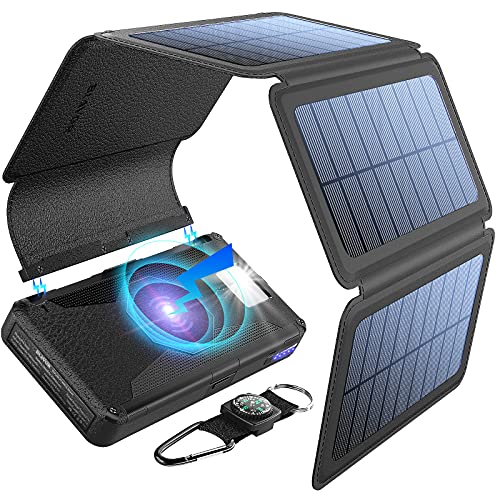
You charge a power bank with the solar panel during the day, then charge your phone from the power bank whenever you need it — morning, night, cloudy days, doesn’t matter.
Why this wins for most off-grid use:
– The power bank absorbs inconsistent solar input without the voltage-drop problem
– You can charge your phone at night or during storms
– A 10,000 mAh power bank holds 2–3 full phone charges as a buffer
– The panel can charge unattended while you work
This is the setup we recommend for anyone at a fixed off-grid location — cabin, homestead, base camp, or RV.
Choosing the Right Solar Panel

Not all portable panels are created equal. Here’s what to look for based on specs and aggregated user data.
Panel Type Matters
Monocrystalline panels (like those from Nekteck and BigBlue) consistently outperform polycrystalline in partial shade and cloudy conditions by 15–20% according to manufacturer efficiency ratings. Every panel we recommend below is monocrystalline.
Key Specs to Compare
| Feature | Minimum | Ideal |
|---|---|---|
| Wattage | 10W | 20–28W |
| USB output | 5V/2A (10W) | 5V/3A or USB-C PD |
| Conversion efficiency | 21% | 23–24% |
| Auto-restart | Required | Required |
| Weight | Under 2 lbs | Under 1.5 lbs |
USB-C Power Delivery: Worth It?

If your phone supports USB-C PD (most phones made after 2021), a panel with PD output can charge significantly faster — up to 18W delivery versus the 10–12W cap of standard USB-A. The Nekteck 28W and BigBlue 28W both offer USB-C ports, though true PD negotiation varies. Check that the panel specifically lists PD or QC 3.0, not just “USB-C port.”
Building Your Off-Grid Phone Charging Kit
Here’s exactly what a reliable setup looks like, with specific components.
The Budget Kit (~$50–70)
- 20W folding solar panel with auto-restart and USB-A output
- 10,000 mAh power bank (Anker 325 or similar — look for one with both input and output at 2A+)
- A short, high-quality USB cable (cheap cables can lose 10–15% of charging power to resistance)
The Reliable Kit (~$80–120)
- 28W folding solar panel with USB-C and USB-A outputs
- 20,000 mAh power bank with USB-C PD input/output (Anker 537 or Baseus 20000)
- This gives you 4–6 full phone charges stored, rechargeable in 4–6 hours of good sun
- Enough capacity to also charge headlamps, earbuds, or a handheld GPS
The Homestead Kit (~$120–180)
- 40W+ folding panel (or a rigid 50W panel if you’re mounting it permanently)
- Power station in the 150–300 Wh range (Jackery Explorer 240, EcoFlow River 2, or similar)
- This handles phones, tablets, laptops, rechargeable lanterns, and small 12V devices
Common Mistakes People Make
1. Buying a “Solar Power Bank” Combo Unit
Those all-in-one power banks with a tiny solar panel built into the case are functionally useless for solar charging. The panels are typically 0.5–1.5W — meaning it would take 30+ hours of direct sun to fully charge the internal battery. The built-in panel is a gimmick. Buy a real panel and a real power bank separately.
2. Leaving the Phone in Direct Sun While Charging
Phones throttle charging speed or shut down entirely when they overheat. Temperatures above 95°F (35°C) trigger thermal protection in most smartphones. Keep the panel in the sun and the phone in the shade. A 6-foot USB cable solves this instantly.
3. Using the Wrong Cable

A thin, bargain-bin micro-USB cable can bottleneck your charging speed to 0.5A regardless of what the panel or power bank can deliver. Use cables rated for 3A or higher, and keep them short — under 3 feet for direct solar charging. Longer cables lose more power to resistance.
4. Not Accounting for Seasons and Latitude
A 20W panel rated at peak output in June may only deliver 10–12W in December at northern latitudes due to lower sun angle and shorter days. If you’re off-grid year-round, size your panel for winter performance, not summer. A good rule: buy 50% more panel wattage than the summer math suggests if you need year-round reliability.
Our Recommendations
Best Overall: Nekteck 28W Solar Charger
Three monocrystalline panels, dual USB-A ports, auto-restart, 24% cell efficiency. Folds to about the size of a tablet. At roughly 1.3 lbs, it’s light enough for a pack but powerful enough to charge a phone in under 2 hours in good sun. Thousands of verified reviews consistently praise its real-world output.
Nekteck 28W Solar Charger on Amazon
Best Budget: BigBlue 20W Solar Charger
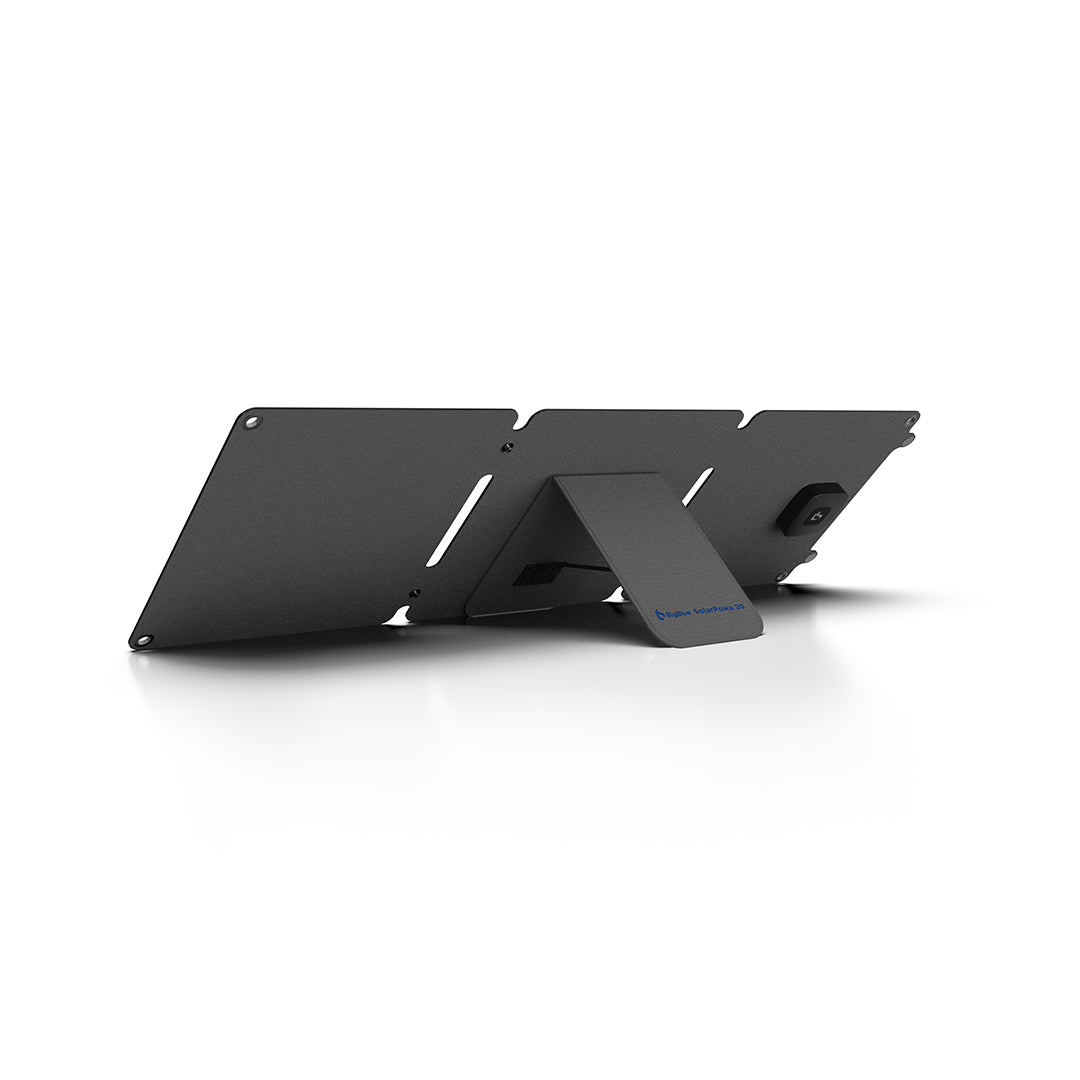
If you don’t need 28W and want to save $15–20, the BigBlue 20W is a solid performer. Dual USB-A, auto-restart, and a durable IPX4 water-resistant build. It won’t charge as fast on cloudy days as the 28W options, but for daily top-offs in fair weather it’s more than adequate.
BigBlue 20W Solar Charger on Amazon
Best Power Bank Pairing: Anker 537 Power Bank (PowerCore 24K)
20,000 mAh, USB-C PD input and output (charges itself fast, charges your phone fast), compact for its capacity. This pairs perfectly with either panel above and gives you a reliable 4–5 day buffer even without sun.
Anker 537 Power Bank on Amazon
FAQ
Can I charge my phone with a solar panel on a cloudy day?
Yes, but expect 25–40% of rated output depending on cloud thickness. A 28W panel may deliver 8–12W through light clouds — still enough to charge a phone, just slower. Heavy overcast can drop output below the minimum threshold for direct phone charging, which is why we recommend the power bank buffer setup.
How long does it take to solar charge a phone from dead?
With a 20W panel in direct midday sun: roughly 2.5–3.5 hours for a typical 4,000 mAh phone via USB-A. With a 28W panel and USB-C PD: closer to 1.5–2 hours. Through a power bank, add about 15–20% more time due to double conversion losses.
Will a solar panel damage my phone battery?
No. Modern phones have built-in charge controllers that regulate incoming power. The phone only draws what it can safely accept. The panel’s wattage rating is a maximum, not a forced input. You cannot overcharge or overvolt a phone from a standard USB solar panel.
What about flexible or roll-up solar panels?
Flexible panels using amorphous or CIGS cells are lighter and more packable but typically deliver 15–18% efficiency versus 22–24% for rigid monocrystalline. For phone charging, the efficiency difference isn’t critical — you just need a slightly larger panel. They’re a reasonable choice if pack size is your top priority, but for a homestead or cabin setup, standard folding monocrystalline panels offer better value.
Is it worth getting a solar panel with a built-in battery?
Generally no. Combo units compromise on both panel size and battery capacity. You get a mediocre panel attached to a mediocre battery, and when one component fails, you lose both. Separate components let you upgrade each independently and replace only what breaks. The only exception: if you’re ultralight backpacking and every gram counts, a well-reviewed combo like the BioLite SolarPanel 5+ with integrated battery can work for minimal charging needs.