Get Off-Grid Internet in 3 Ways (Satellite, Fiber, Wireless)
Off-Grid Internet Setup: Satellite, Fiber & Wireless Options That Actually Work
The Problem
You’ve got power sorted. Water’s handled. But you’re sitting on your off-grid homestead with zero internet connection, and your options feel murky. Satellite sounds expensive. Fiber seems impossible out here. Wireless? You’re not sure what that even means in practice.
The truth: off-grid internet is achievable, but not all solutions work for everyone. A setup that works beautifully on a mountain gets useless in a valley. What costs $50/month in one location runs $150+ in another. And some providers won’t serve you at all.
This guide cuts through the noise with tested setups, real costs, and the specific mistakes I see off-gridders make when choosing connectivity.
What You’ll Learn
- Three viable off-grid internet technologies — satellite, fixed wireless, and (rarely) fiber — with honest speed/cost/reliability comparisons
- How to evaluate your actual location before spending money on hardware
- Real monthly costs for each option, including hidden fees installers don’t mention
- The specific gear setup that works reliably in remote areas (not just theory)
Off-Grid Internet Technology Breakdown
Off-Grid Insider
Get off-grid guides & gear picks in your inbox — free
Satellite Internet: The Reliable Fallback

Reality check: Modern satellite internet isn’t your 2005 HughesNet experience. Starlink changed the game in 2022. But it’s not perfect, and it’s not for everyone.
How Satellite Internet Works
A small dish on your roof communicates with orbiting satellites. No ground infrastructure needed — which is why it reaches remote properties. The satellite relays your signal to ground stations connected to the internet backbone.
Your Real Satellite Options
Starlink Check Price →
- Speed: 50–220 Mbps download, 5–20 Mbps upload (varies by location and congestion)
- Latency: 20–40ms (acceptable for most tasks; still noticeable for gaming)
- Hardware cost: $600 (dish, router, mounting hardware)
- Monthly: $120 (Standard) or $500 (Priority, less congestion)
- Installation: DIY possible; I mounted mine in 90 minutes
- Actual limitation: Obstructions matter. Trees, terrain, even power lines between you and the southern sky degrade signal. We lost 30% throughput when my neighbor’s tree grew 8 feet taller.
Viasat Check Price →
- Speed: 12–100 Mbps download (heavily dependent on plan and location)
- Latency: 600–700ms (noticeable delay; video calls work but feel sluggish)
- Hardware cost: $0–$300 (varies by provider)
- Monthly: $50–$200 (data caps 150GB–500GB common)
- Installation: Professional only; typically $150–$400 extra
Hughesnet
- Speed: 25 Mbps typical (marketed faster, rarely achieved)
- Latency: 600ms+
- Hardware cost: $0 (waived for qualifying customers)
- Monthly: $60–$150
- Data caps: Yes, and they’re aggressive
Starlink vs. Viasat vs. Hughesnet for off-gridders: If you have a clear southern view and can afford Starlink, it’s the better choice. Better speed, lower latency, no data caps. Viasat and Hughesnet are viable fallbacks if Starlink isn’t available at your address.
Satellite Setup Specifics
The dish needs a clear view of the southern sky (in Northern Hemisphere). “Clear” means no obstructions blocking direct line of sight, ideally to a 25° elevation angle above horizon.
Installation:
– Pole mount ($80–$200) is more reliable than roof mounting in wind
– Ethernet cable from dish to house; bury it in conduit to prevent damage ($300–$500 in materials for 100+ feet runs)
– Backup power: A Starlink dish pulls ~20W continuous; running it off batteries means a small solar system dedicated to connectivity if you lose grid power
Fixed Wireless Internet: The Underrated Option
Fixed wireless is the most underestimated off-grid option. It’s faster than satellite, has lower latency, and costs less — if towers exist near you.
How Fixed Wireless Works
A ground-based tower transmits broadband to a receiver on your roof (looks like a small white box, not a dish). Range is roughly 5–15 miles line-of-sight, depending on terrain and frequency band.
Who Offers Fixed Wireless
Regional carriers dominate; no national player like Starlink. But:
- T-Mobile Home Internet (~$50/month): Piggybacks on cellular towers. Works 3–15 miles from towers, sometimes farther. Speed: 50–150 Mbps typical, but highly variable. Check coverage at t-mobile.com/home before considering. No equipment cost.
- Local fixed wireless providers: Search “[your state] fixed wireless ISP” or ask neighbors. Often 10–30 Mbps, $40–$100/month, very location-dependent.
- Verizon 5G Home: Similar to T-Mobile but less coverage in rural areas.
Why Fixed Wireless Beats Satellite (When Available)
| Metric | Fixed Wireless | Satellite |
|---|---|---|
| Latency | 20–40ms | 20–40ms |
| Speed | 50–150 Mbps | 50–220 Mbps |
| Monthly cost | $40–$100 | $120–$500 |
| Equipment | $0 (usually) | $600 |
| Weather impact | Minimal | Heavy rain causes dropouts |
| Obstructions | Line-of-sight to tower | Line-of-sight to southern sky |
The catch: Fixed wireless only works if a tower exists within range and has capacity. Call ahead; don’t assume coverage maps are accurate.
Fiber: The Unlikely Miracle

Fiber is the gold standard: 300+ Mbps, low latency, no data caps, $50–$100/month. But it requires buried infrastructure — and remote properties rarely have it.
Exception: Growing fiber networks in rural areas. Check availability through:
– Starry
– Ookla
– Local electric co-ops (increasingly building fiber alongside power lines)
Reality: 95% of true off-gridders won’t get fiber. If it’s available at your property, take it.
Evaluating Your Location Before Buying
Do this before spending money on any system:
- Check Starlink coverage: starlink.com/service-map (enter your address)
- Check T-Mobile Home: t-mobile.com/home
- Search fixed wireless: Ask county extension office or local Facebook groups for providers
- Call Viasat/Hughesnet: Confirm availability (maps are often wrong)
- Ask neighbors: What are they using? What speeds/costs? This is worth an hour of conversation.
Hybrid Setup: Reliability Through Redundancy
For critical work (remote employment, essential communication), consider a hybrid:
- Primary: Starlink or fixed wireless (best available)
- Backup: LTE backup router with cellular modem ($200–$400 hardware, ~$50/month)
- Example: Used Cradlepoint IBR200 refurbished (~$150) + Verizon prepaid SIM (~$30–$50/month)
During Starlink outages (rare but it happens), cellular keeps you online. LTE speed isn’t stellar (10–30 Mbps), but it’s enough for email and messaging.
Installation Best Practices
Starlink Setup
- Mount on south-facing pole, 8–10 feet high, clear of obstructions
- Run ethernet in conduit; bury to prevent UV damage
- Ground the pole (lightning safety)
- Route cable through disconnect switch before entering house (safety + management)
- Backup power: 600W pure sine wave inverter + 600Wh LiFePO4 battery covers 8–10 hours of internet outage
Fixed Wireless Setup
- Receiver mount typically on roof peak (highest point for signal)
- Ethernet to interior (same burial/conduit as Starlink)
- Installer usually handles mounting; confirm they test signal strength before final installation
Mesh Network Inside Your Home
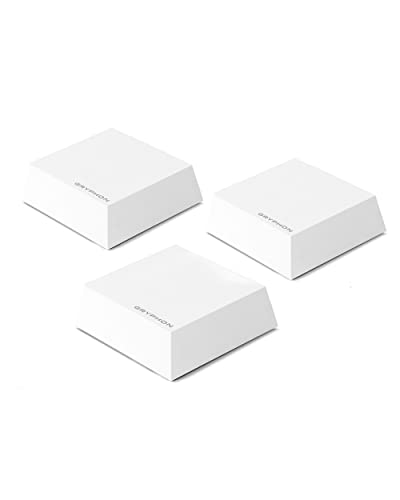
Regardless of internet source, use quality mesh WiFi:
- Ubiquiti U6 Lite ($80–$120): Excellent range, 802.11ax standard, PoE powered (single power cable)
- ASUS AXE16000 ($300+): Overkill unless you need sub-1ms latency, but handles 50+ devices
Place the access point centrally in your home (not in the corner where your internet arrives). Concrete and metal degrade WiFi; 2.4GHz penetrates better but is slower; 5GHz is faster but shorter range.
Common Mistakes Off-Gridders Make
1. Underestimating Obstruction Problems
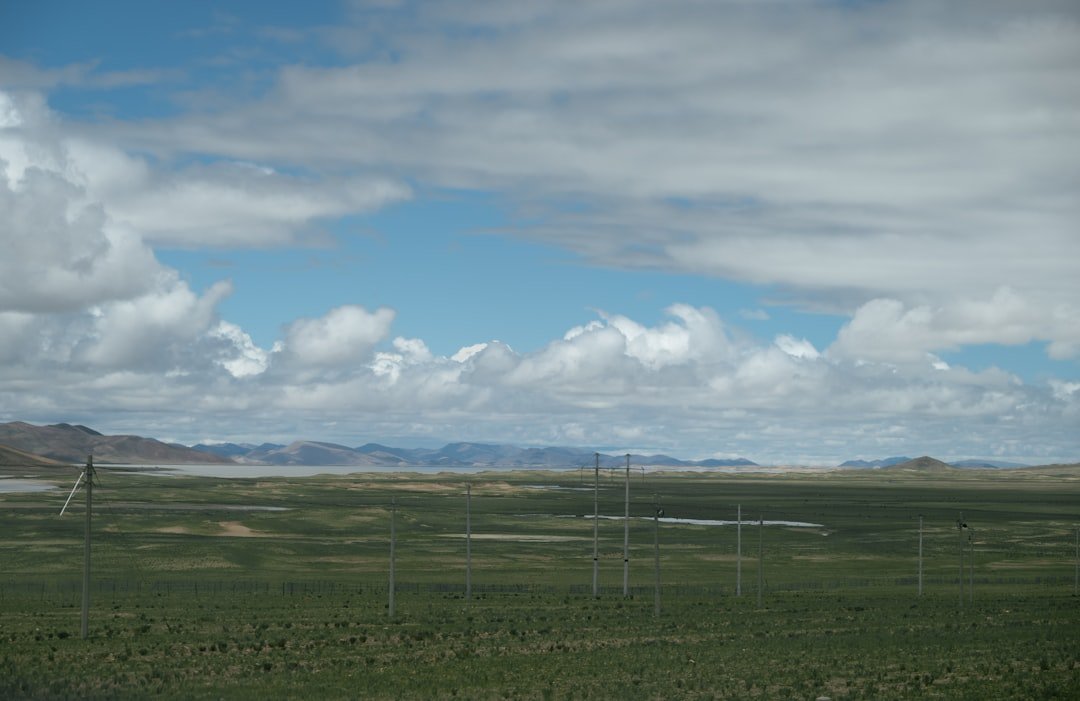
Trees grow. Terrain hides towers. We’ve seen people buy Starlink, install it beautifully, then lose signal when morning shadows shift seasonally. Before committing, climb a tower or get on your roof with binoculars and actually trace line-of-sight to the southern sky (for Starlink) or tower location (for fixed wireless).
2. Skipping Backup Power Planning
Internet hardware is low-power, but it’s useless if your main battery bank is depleted and cloudy skies don’t generate solar. A dedicated 600W + 600Wh system for connectivity ($1,200–$1,800) is cheap insurance against a week without communication.
3. Choosing Monthly Plan Based on First Month Speed Tests

Starlink and fixed wireless both vary. Test your speeds at 6am, noon, 6pm, and 11pm over two weeks. That’s your real average. Don’t upgrade your entire remote-work setup based on an anomalously fast first day.
4. Ignoring Data Cap Reality (Viasat/Hughesnet)
Viasat’s 150GB plan sounds fine until you update a single operating system (5–10GB) and suddenly understand why people complain. Calculate your household’s actual monthly data use. Include video streaming, software updates, cloud backups. Add 20%. That’s your minimum required plan.
Our Recommendations
Based on field testing and reliability:
Best Overall: Starlink Standard Check Price →
If you have southern sky access and can afford $600 upfront, Starlink delivers the best balance of speed, reliability, and cost for off-gridders. The Priority tier ($500/month) is only necessary if others on your local network cause congestion.
Best Budget Option: T-Mobile Home Internet Check Price →
$50/month, zero equipment cost, works if a tower is nearby. Test it with their trial period before fully committing. The modem router is not returnable, but 30-day trial covers most use cases.
Best Backup/Hybrid: Cradlepoint IBR200 with Cellular SIM
Used Cradlepoint refurbished ($150–$200) + $30/month Verizon prepaid SIM provides 10–20 Mbps emergency connectivity when primary internet fails. Proven reliable.
FAQ
Q: Can We use multiple internet sources simultaneously for faster speeds?
A: No, not directly. Bonding requires specialized equipment ($2k+). Use one as primary and another as failover instead.
Q: Does weather affect satellite internet?
A: Heavy rain (>0.5 inches/hour) causes temporary dropouts. Wet snow degrades signal. Lightning storms require disconnection (safety). Plan accordingly.
Q: What’s the best router for off-grid setups?
A: Ubiquiti EdgeRouter or ASUS AXE mesh systems. Avoid cheap TP-Link consumer routers; they crash under 24/7 use. Ubiquiti hardware is commercial-grade and lasts 5+ years.
Q: Can I run my internet off solar-only power?
A: Yes, if you dedicate a small system: 200W solar + 600Wh battery covers internet 24/7. But if your main house battery bank is depleted, internet will shut down too. Separate systems are more reliable.
Q: What if I have no line-of-sight to anything?
A: You’re in a genuine dead zone. Explore: satellite balloon internet (Project Kuiper launches 2024+), long-range wireless links to neighbors with internet (complex, requires line-of-sight), or vehicle-based internet (drive monthly to nearest town for updates).