Starlink 2026: Still Worth It for Off-grid?
Getting reliable internet at a remote cabin used to mean choosing between sluggish satellite connections with 600ms+ latency, expensive cellular signal boosters that barely worked in valleys, or simply going without. Starlink changed that equation dramatically — but it’s not plug-and-play in every off-grid scenario. Power draw, equipment costs, mounting challenges, and plan selection all matter more when you’re running on solar and batteries 20 miles from the nearest utility pole.
We dug into the current Starlink hardware specs, power consumption data, off-grid user reports from forums and Reddit communities, and real-world performance numbers to put together the guide we wish existed when readers started asking us about this setup.
What You’ll Learn
- Which Starlink hardware and plan actually makes sense for off-grid cabins (and which to skip)
- Exactly how much solar and battery capacity you need to run Starlink reliably
- How to mount and install the dish at a remote site with no contractors
- The real-world speeds, latency, and reliability off-grid users are reporting in 2025–2026
Starlink Hardware Options for Off-Grid Use
SpaceX currently sells several Starlink kits. For a remote cabin, only two make practical sense.
Starlink Standard (Gen 3)
Off-Grid Insider
Get off-grid guides & gear picks in your inbox — free
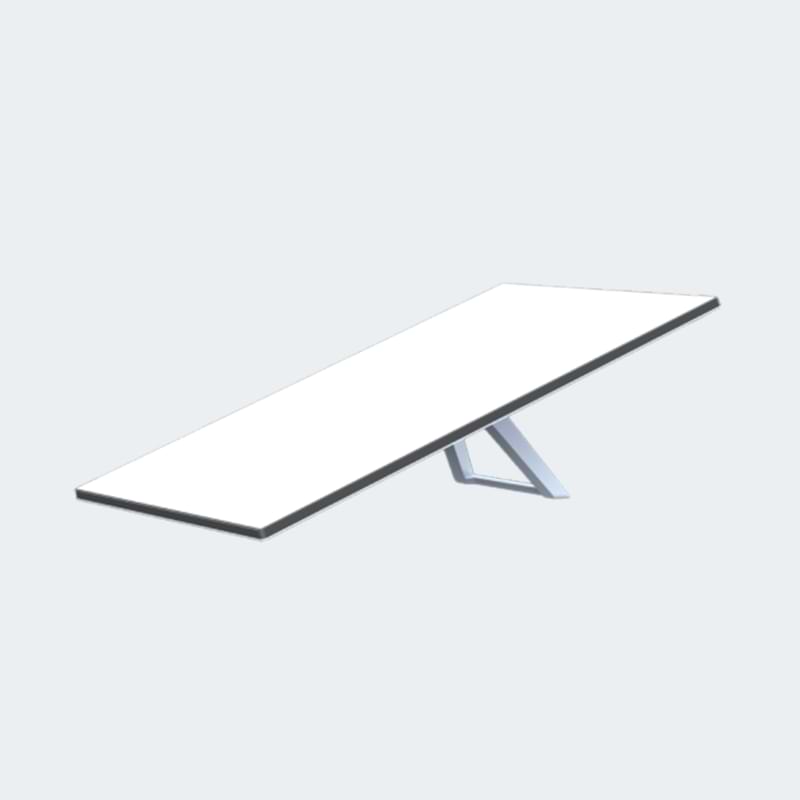
This is the current residential dish. It’s smaller than the original round dish (about 12 × 19 inches), lighter at roughly 2.9 kg, and draws 40–75 watts in typical operation — a meaningful reduction from the Gen 1 dish that could pull 100W+. It comes with a built-in Wi-Fi 6 router, a 75-foot cable, and a simple mounting base.
Power draw matters enormously off-grid. At an average of ~50W continuous draw, you’re looking at roughly 1.2 kWh per day if you run it 24/7. That’s manageable with a decent solar setup, but it’s not trivial — it’s equivalent to running a large 12V fridge.
Starlink Mini
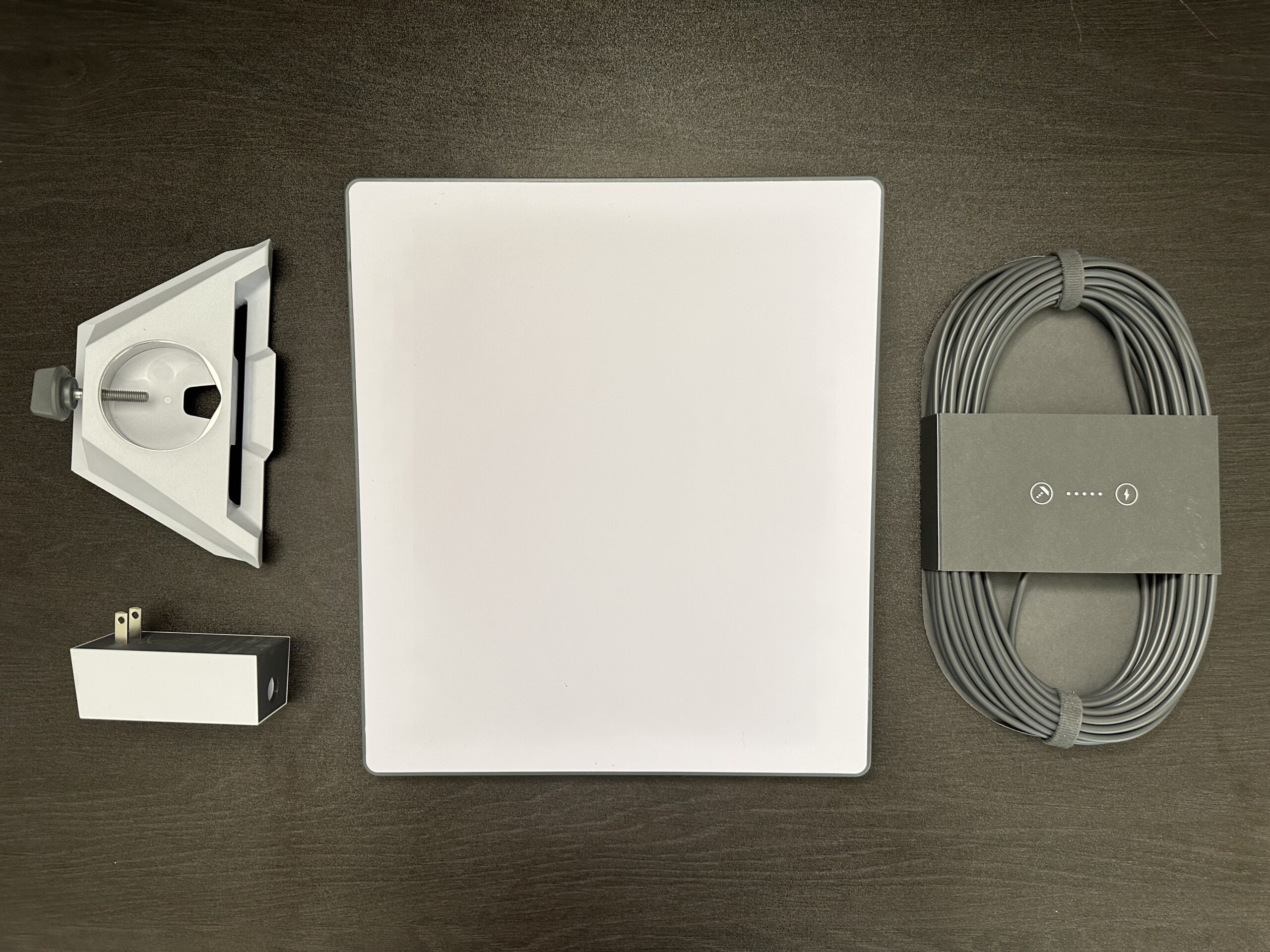
Released in 2024, the Mini is the most interesting option for off-grid cabins. It’s compact (about 11.4 × 9.8 inches), weighs roughly 1.1 kg, and most importantly draws just 20–40 watts — roughly half the Standard dish. It has a built-in Wi-Fi router and runs on DC power, which means fewer conversion losses if you’re powering from a 12V or 24V battery system with the right adapter.
The trade-off: the Mini has a smaller antenna, so it’s more sensitive to obstructions and may deliver slightly lower peak speeds. For a cabin with a clear sky view, this often doesn’t matter in practice.
Which Plan to Choose
- Starlink Residential ($120/month): Best for cabins you live in full-time or visit frequently. Unlimited standard data, assigned to one address.
- Starlink Roam ($50–$165/month): If your cabin is seasonal or you want to bring the dish between locations. The $50/month 50GB Mobile Regional plan works for occasional use. The unlimited Regional Roam at $165/month is steep but gives full flexibility.
- Starlink Mini plan ($30/month for 50GB): The most affordable entry point. Enough for email, weather checks, video calls, and moderate browsing. Not enough for streaming Netflix every night.
Our take: For a seasonal off-grid cabin, the Mini hardware on the $30/month Mini plan is the sweet spot. For full-time off-grid living where internet is essential for remote work, the Standard dish on the Residential plan is worth the extra power draw and cost.
Solar and Battery Sizing for Starlink
This is where most off-grid Starlink setups fail. People buy the dish, plug it in, and drain their battery bank overnight.
Running Starlink Standard 24/7

| Component | Minimum | Recommended |
|---|---|---|
| Daily consumption | ~1.2 kWh | ~1.2 kWh |
| Solar panels | 300W | 400–500W |
| Battery capacity | 200Ah @ 12V (2.4 kWh) | 300Ah @ 12V (3.6 kWh) |
| Inverter | 200W pure sine wave | 300W+ pure sine wave |
Those solar panel numbers assume 4–5 peak sun hours and account for typical system losses (charge controller efficiency, wire losses, cloudy days). In winter at northern latitudes, you may need significantly more — or a backup generator.
Running Starlink Mini 24/7
| Component | Minimum | Recommended |
|---|---|---|
| Daily consumption | ~0.5–0.7 kWh | ~0.7 kWh |
| Solar panels | 200W | 300W |
| Battery capacity | 100Ah @ 12V (1.2 kWh) | 200Ah @ 12V (2.4 kWh) |
The Mini’s lower draw and DC-native power input make a real difference. Some users run it directly from a 12V battery system using a Starlink-compatible DC power cable, bypassing the inverter entirely and saving another 10–15% in conversion losses.
Smart Power Management
Running Starlink 24/7 at a seasonal cabin is wasteful. Consider these strategies:
- Timer-based operation: Run Starlink for 6–8 hours per day during active use. This cuts daily consumption by 60–70%.
- Smart plug with scheduling: A Wi-Fi smart plug (pre-programmed) or a simple 12V timer relay can automate power cycling.
- Boot time matters: The Standard dish takes about 2–5 minutes to boot and acquire signal. The Mini is slightly faster. This is fast enough that on/off cycling is practical.
A 100Ah LiFePO4 battery paired with a 300W solar panel kit and a decent MPPT charge controller will run a Starlink Mini comfortably for 8–10 hours daily with enough margin for cloudy days.
Installation and Mounting at a Remote Cabin
Finding a Clear Sky View
Starlink needs a wide, unobstructed view of the sky — roughly 100° cone overhead. The Starlink app (free, works without a subscription) has an obstruction-check tool that uses your phone’s camera. Run this before buying anything. Walk your property and test multiple potential mounting locations.
Trees are the biggest problem at remote cabins. Even partial obstruction from tree branches causes intermittent dropouts every few minutes, which destroys video calls and makes everything feel unreliable. If your cabin is in dense forest, you need to either clear trees or mount the dish high enough to get above the canopy.
Mounting Options

Roof mount (most common): The Starlink mounting kit works on standard pitched roofs. For metal roofs common on off-grid cabins, use a Starlink-compatible J-mount or pipe adapter to attach to a standard antenna mast.
Pole mount: For ground-level or elevated mounting. A 1.5-inch steel pipe sunk in concrete or bolted to a post works well. This is often the best option because you can position it away from tree cover. SpaceX sells a pipe adapter, or you can use a standard TV antenna pipe fitting.
Tower mount: If you need 30+ feet of height to clear trees, a simple guyed antenna tower (like a Rohn 25G) is the proven solution. This is more involved — you’re looking at $500–$1,500 for the tower plus installation effort — but it solves the tree problem permanently.
Running the Cable

The Standard dish comes with a 75-foot proprietary cable. That’s it — you can’t extend it with standard Ethernet. Plan your mounting location within that 75-foot range. If you need more distance, route the cable through conduit to protect it from weather and rodents. Drill through the cabin wall with a proper bushing and seal with silicone.
The Mini has a shorter cable but is also more flexible in placement since it’s smaller and lighter.
Real-World Performance at Off-Grid Locations
Based on community reports from off-grid users across North America and Australia (primarily from r/Starlink, r/offgrid, and dedicated off-grid forums):
- Download speeds: 25–150 Mbps typical, with wide variation by location and time of day. Most off-grid users report 50–100 Mbps consistently — far more than needed for remote work.
- Upload speeds: 5–15 Mbps typical. Sufficient for video calls and cloud backups.
- Latency: 25–60ms for most locations. This is the game-changer versus old satellite internet (which ran 600ms+). Video calls, VoIP, and remote desktop all work normally.
- Reliability: Most users report 98–99%+ uptime once obstructions are cleared. Brief drops of a few seconds occur but are infrequent.
- Snow and weather: The dish has built-in heating that melts snow automatically — but this can spike power draw to 100W+ temporarily. Heavy rain can cause brief throughput drops, consistent with all satellite systems.
Important caveat: Performance depends heavily on how many Starlink users are in your cell (geographic area). Remote areas generally perform better because they’re less congested. If you’re at a truly remote cabin, you may see better speeds than suburban users.
Common Mistakes
Underestimating power draw in winter. The dish’s snow-melt heater activates automatically and can double power consumption. Combined with shorter days and less solar production, winter is when off-grid Starlink setups fail. Budget extra battery capacity or have a generator backup.
Not checking obstructions before buying. We see this constantly in off-grid forums — someone orders Starlink, installs it at their tree-surrounded cabin, and gets frustrated by constant dropouts. The app’s obstruction tool takes five minutes and prevents a $300+ mistake.
Using a cheap modified sine wave inverter. Starlink’s power supply expects clean power. Modified sine wave inverters can cause overheating, interference, or premature failure. Use a pure sine wave inverter, or run the Mini directly from DC power to avoid the issue entirely.
Ignoring the Starlink Mini for off-grid use. Many buyers default to the Standard dish because they assume bigger equals better. For cabins with clear sky views and limited solar capacity, the Mini’s lower power draw is a bigger advantage than the Standard’s marginally better performance.
Our Recommendations
Best Overall: Starlink Mini with 50GB Plan
Starlink Mini Kit — The Mini’s low power draw (20–40W), compact size, and DC power compatibility make it the best match for off-grid solar systems. At $30/month for 50GB, it’s affordable for a seasonal cabin. Pair it with a 200Ah LiFePO4 battery and 300W of solar for a reliable setup.
Best for Full-Time Off-Grid Living: Starlink Standard with Residential Plan
Starlink Standard Kit — If you work remotely or rely on internet daily, the Standard dish’s larger antenna provides more consistent speeds and better obstruction tolerance. Budget 400–500W of solar and at least 200Ah of LiFePO4 battery capacity dedicated to the dish.
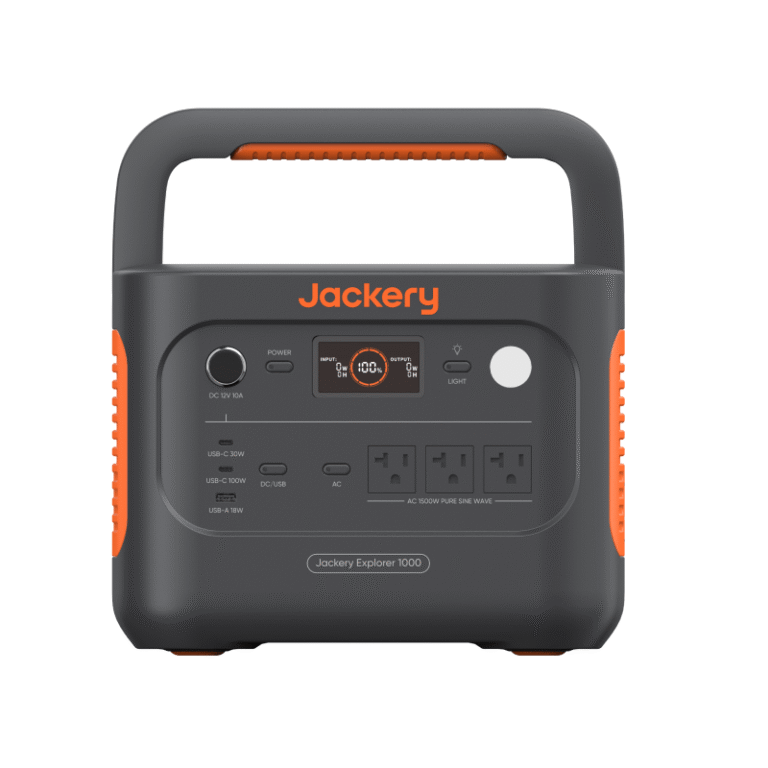
Best Power Setup for Starlink: Renogy 300W Solar Kit + LiFePO4 Battery

A Renogy 300W solar panel kit with an included MPPT charge controller, paired with a 100Ah LiFePO4 battery, gives you a clean, dedicated power system for the Mini dish. Keeping Starlink on its own small power system simplifies troubleshooting and prevents internet outages when other loads drain your main battery bank.
FAQ
Can I use Starlink without a permanent address?
Yes — the Roam plans don’t require a fixed service address. The Mini plan and Roam plan both work at any location within your service country. The Residential plan is tied to an address but will work at other locations with reduced priority.
Does Starlink work in heavy rain or snow?
It works through most weather. Heavy rain can briefly reduce speeds (similar to satellite TV rain fade). Snow is handled by the built-in heater, though this significantly increases power consumption — a critical consideration for solar-powered setups.
Can I run Starlink directly from a 12V battery without an inverter?
The Standard dish requires its AC power supply, so you need an inverter. The Mini can potentially be powered via DC using third-party adapters or the official Starlink DC power supply, which eliminates inverter losses. Check current accessory availability, as SpaceX updates their accessory lineup periodically.
How much data does typical off-grid cabin use require?
Email, weather, and light browsing use under 10GB/month. Add video calls (about 1.5GB/hour for HD) and moderate streaming, and you’re in the 50–100GB range. The 50GB Mini plan is sufficient for most seasonal cabin use without heavy streaming.
What happens if my solar system can’t keep up in winter?
The dish simply shuts off when battery voltage drops too low — no damage to the equipment. The most practical backup is a small portable generator (even a 1,000W inverter generator) to charge batteries during extended cloudy periods. Running the generator for 2–3 hours can provide enough charge for a full day of Starlink operation.